

A PC-to-mobile SMS sending application provides a simple way to send unlimited text messages to any number of mobile phones nationwide or globally without an internet connection. The software allows users to send personalized messages to a single person, group, or batch of mobile phone users. It also allows users to skip duplicate entries from the list of recipients. This messaging program can compose and deliver messages in any Unicode-supported language. The software is compatible with Windows 11 and other Windows-based operating systems.
PC to mobile phone text messaging application provides an easy method to compose and send unlimited text messages to unlimited mobile numbers nationally or globally without any use of Internet connection. Software provides a feature to send unique or personalized message by importing numbers and their respective messages from Excel file. Software allows users to send messages to a particular person, batch or a group of mobile phone users.
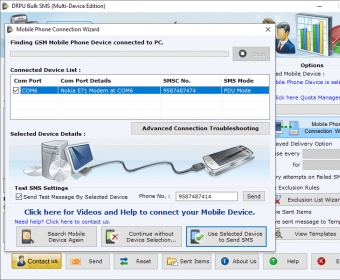
Bulk text messaging utility facilitate user inbuilt feature that successfully skips duplicate entries from list of message recipients. The messaging program conveniently composes and delivers professional messages in all Unicode supported language in effective manner. Bulk SMS GSM software runs with Windows based operating system Windows 11, Windows 10, Windows 8, Windows7, Windows XP, and others. Users can send their personal or professional messages to multiple mobile phone users at a time from their PC by connecting their GSM mobile phone with a USB cable.
Mass SMS messaging software provide multiple options to compose and transfer group of text messages in minimum time and less efforts. Software can deliver different types of messages related to job alerts, business messages, notifications, and personal messages to international mobile phone numbers with no use of Internet connection. Software can transfer non-English (Unicode) messages to any mobile phone user without any interruption.
Software Features:
* Bulk SMS (Multi-device Edition) Software has the Sent Items option which shows the list of items or messages that has been sent.
*SMS sending tool provide advance setting feature to save sent items as templates.
* Software provides Load contacts from file button to load the list of contacts with details as Excel sheet or Text file.
* Users can delay their messages to control the load of transmission by using Delayed Delivery Option.
* Using excel data file, user can create or send personalized SMS to every contact.



Comments